Add Parent Folder in Lightroom
There is a small and little used command in Lightroom’s Folders panel that can make your life simpler in the long run.

There is a small and little used command in Lightroom’s Folders panel that can make your life simpler in the long run.
While it is not possible to add music to a Web Gallery from within Lightroom, Micha Bowers writes about a clever workaround if you are somewhat proficient with Flash: http://www.bluefire.tv/blog/flashgalleries/gallery_tipsandtricks12.html
With the release of Lightroom 1.3 came the first SDK. While it only extends Export functionality it is a very powerful and welcome addition to the application. As an example, I used the Mogrify plugin to export the photo below directly to my web server,… Read More »Export Plugins!
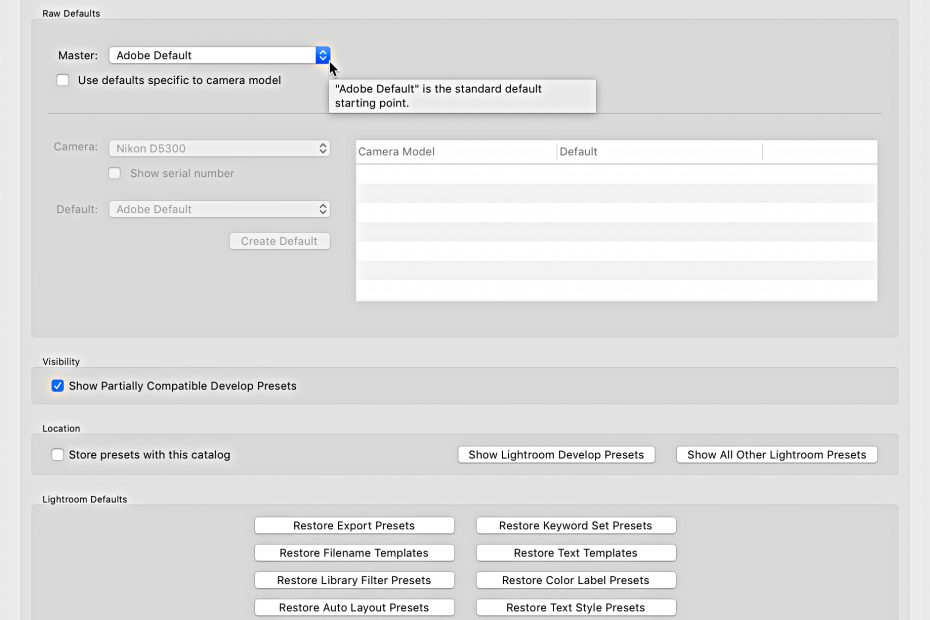
Forget everything you knew about how to create a custom default setting for your raw photos, and let’s get up to speed on the new system. Once you install the 9.2 update your old custom default settings will not work on newly imported photos or when… Read More »Customizing Camera Raw Defaults in Lightroom Classic
You may have heard about collections, smart collections, and collection sets, but have you ever used a target collection? If you haven’t then I’ve got something pretty cool to share with you. The original target collection is the Quick Collection, which is found in the… Read More »Using Target Collections in Lightroom Classic
There comes giddy a time in every Lightroom user’s life when you will purchase a new computer. I’ve broken out the components you need to consider to get from old to new with a minimum amount of angst and a maximum amount of control.
I don’t often get questions about how to apply keywords to photos, but I do hear from people who are struggling to regain a bit of order over an unruly keyword list, so it is to them that I devote this column. Unfortunately, there is no magic wand to wave and automatically fix a disorganized keyword list, you’ll need to roll up your sleeves, put the kettle on, and just get down to business.
Adobe has just released Lightroom 3 Beta! Now before you rush out and start downloading I’d like to give you my take on this beta release to help you get off on the right foot.
You can access the Preferences by going to Edit > Preferences on Windows or Lightroom > Preferences on Mac. Once the Preferences dialog box appears click the External Editing tab to access these settings. By default Lightroom always chooses the most current version of Photoshop… Read More »Tutorial: Configuring External Editors
First, the only change from Lightroom 1 to Lightroom 2 in regards to the crop tool is its new home. It moved from the Develop module’s Toolbar to the new Toolstrip under the Histogram. You can still jump to the Crop Tool from anywhere in… Read More »Tutorial: Advanced Cropping